Traditional controller
Purpose-built, but tied to an ecosystem.
A ready-made aquarium system built around a manufacturer’s own hardware.
- Dedicated aquarium controls
- Vendor-specific accessories
- Expansion within one ecosystem
TankGrove is an aquarium controller that brings your lights, pumps, dosing, and sensors together. Build your setup with compatible ESP32 hardware, then manage it all from your browser.
No account or hardware needed. Step into a ready-to-use simulated aquarium.
Built around
your daily aquarium care.
 Visual schedules
 Flexible automation
 Sensors & history
 Alerts & reminders
TankGrove brings purpose-built aquarium control to accessible ESP32 hardware.
Purpose-built, but tied to an ecosystem.
A ready-made aquarium system built around a manufacturer’s own hardware.
Flexible, with more work left to you.
The freedom to choose components, with software setup and maintenance in your hands.
Your hardware. A complete control app.
Compatible hardware you choose, with an interface designed around aquarium care.
See readings, equipment, water-level switches, and feeding modes together. Know what is running, see what needs attention, and make a change without hunting through menus.
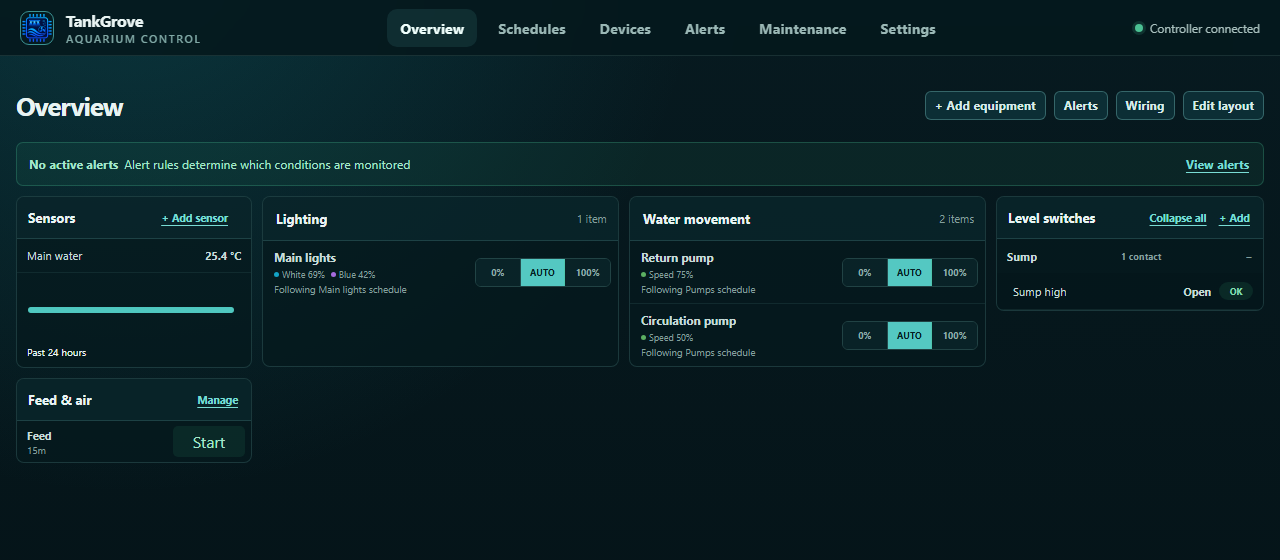
Switch between automatic control and manual levels. Set a temporary change when you need one, then let the normal routine take over.
Group equipment around your aquarium. Start a timed feeding or maintenance mode, and let your rules coordinate what happens next.
Connect compatible equipment through affordable ESP32 boards. Add more controllers as your setup grows.
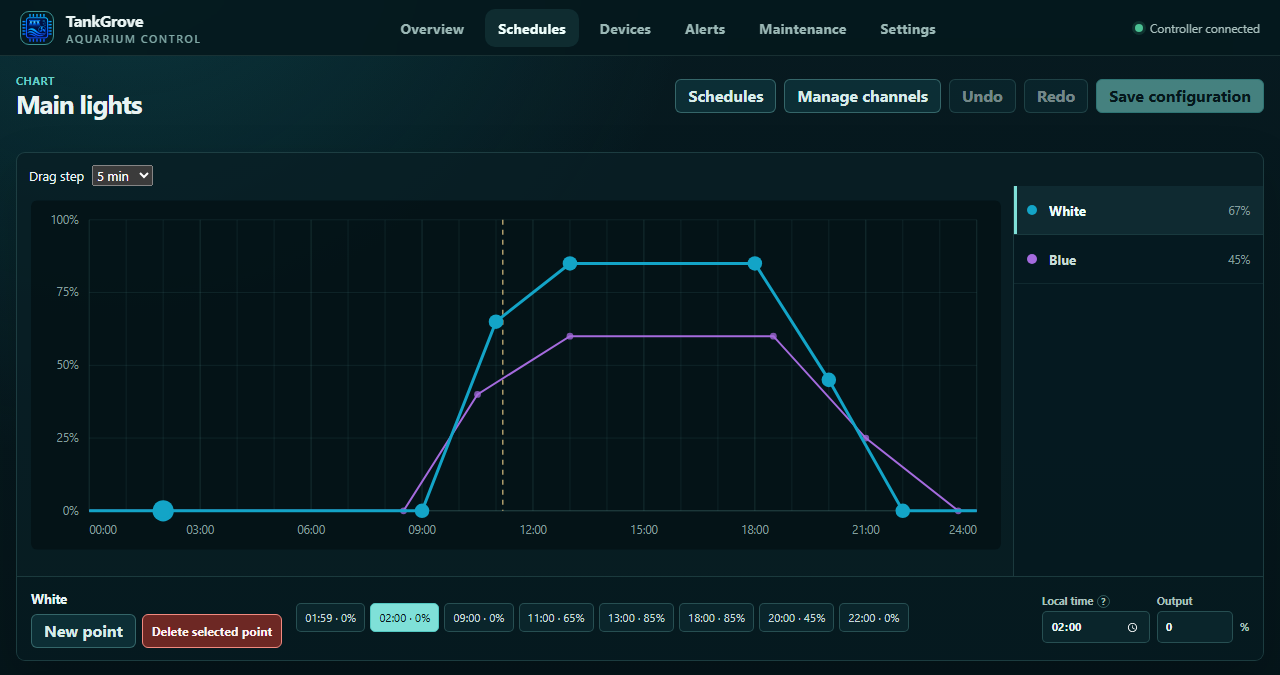
Create a gradual sunrise, a bright afternoon, and a gentle evening. Edit lighting and pump schedules directly on the graph, with separate curves for each channel.
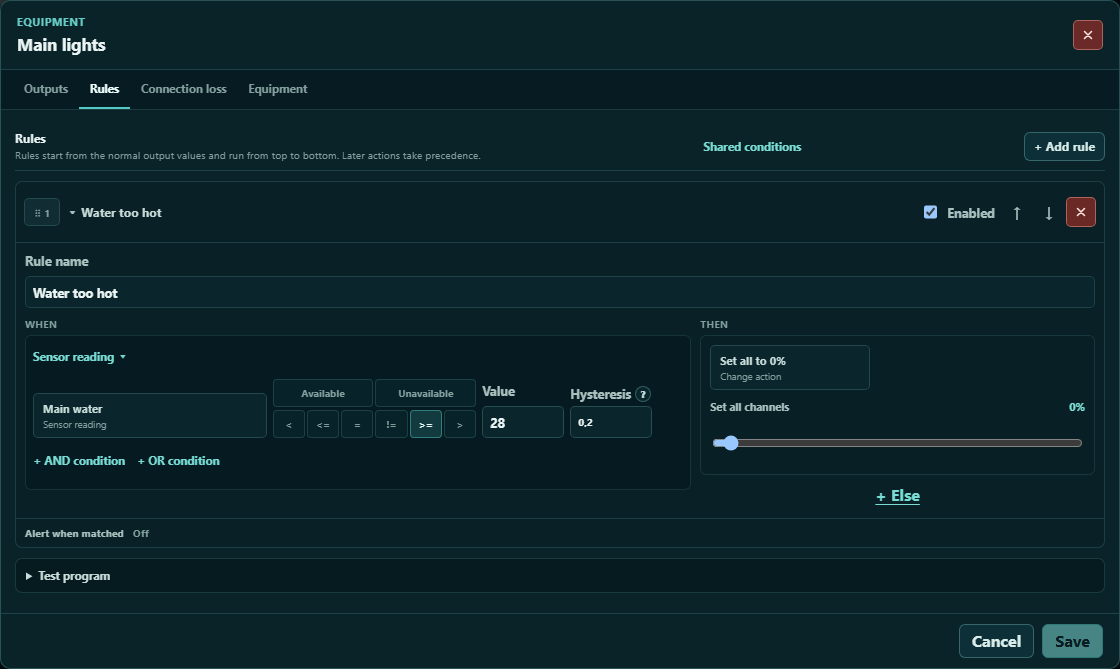
Timers are only the beginning. Create visual rules that respond to temperature, water levels, time of day, or the modes you start.
Turn down the lights when the water gets warm. Stop a return pump when the level is wrong. Pause equipment while you feed. You decide the conditions and what follows.
The controls, insights, and everyday tools that bring your setup together.
Shape lighting and pump routines with editable, multi-channel curves.
Make equipment respond to readings, water levels, and time.

Adjust equipment instantly, or set a temporary change.

Pause or adjust equipment together with a timed routine.

Calibrate pumps, plan daily doses, and set dosing limits.
Track refills, remaining amounts, and estimated days of supply.
Keep temperature and water-level readings in view.

Look back through sensor readings and equipment changes.
Get the alerts you choose by email, Telegram, or webhook.
Keep water changes, tests, cleaning, and reminders together.

Bring equipment across your tanks together with multiple ESP32s.

Set up your ESP32 over USB and manage firmware in your browser.
TankGrove provides the control software. You bring a supported ESP32 board and compatible equipment, with the power supplies and drivers your setup needs.
What hardware do I need?Use USB setup in a supported browser to install the firmware, connect to Wi-Fi, and add the board to your aquarium.
Choose where each light, pump, sensor, or switch is connected. Name and group everything so the overview makes sense to you.
Set schedules, add rules, and choose what should happen if the connection drops. Monitor and adjust from your computer or phone.

Choose what your lights and pumps should do if a connection drops, with a saved routine for each controller to follow.
More about connection lossTankGrove is aquarium control software that works with supported ESP32 boards. It brings schedules, equipment controls, dosing, readings, alerts, and maintenance into one browser-based app. It is not an all-in-one hardware box: you choose and connect compatible equipment.
Yes. The interactive demo opens a simulated aquarium with equipment, readings, and ready-made rules. Change schedules, try controls, and explore device or sensor problems without operating real equipment. No account is needed.
A supported ESP32 board, a suitable power supply, and compatible equipment. Some lights and pumps need separate drivers, so check compatibility and wiring before connecting them.
You choose how connected lights and pumps behave if contact is lost. Your controllers can keep following their saved schedules.
Yes. The dashboard is designed for desktop and mobile browsers. Check readings, adjust controls, and manage routines from your phone. Initial USB setup needs a browser and device that support connecting to your ESP32 by USB.
Standard accounts are currently invitation-only. Already have an account? Sign in to your aquarium. Otherwise, explore the demo while you arrange an invitation.
Explore the real interface with simulated equipment. Shape a schedule, build a rule, and find your own way of keeping things in balance.